Vaulter: tune, patch and mod Borderlands 2
Vaulter is a free Windows app that tunes, patches and mods Borderlands 2, The Pre-Sequel and GOTY Enhanced, and backs up every change so you can undo it.
Vaulter is a free, open-source Windows app that tunes, patches and mods Borderlands games without you editing a single file. You pick the upgrades you want, it installs them, and every change is backed up first so you can undo it. This post covers what it does, which games it supports, how it works under the hood, and how to install it.
In short: download one Vaulter.exe, run it on Windows 10 or 11, open One-click setup, tick what you want and press Upgrade game. The latest release is Vaulter 2.4.0, published on 28 September 2026.
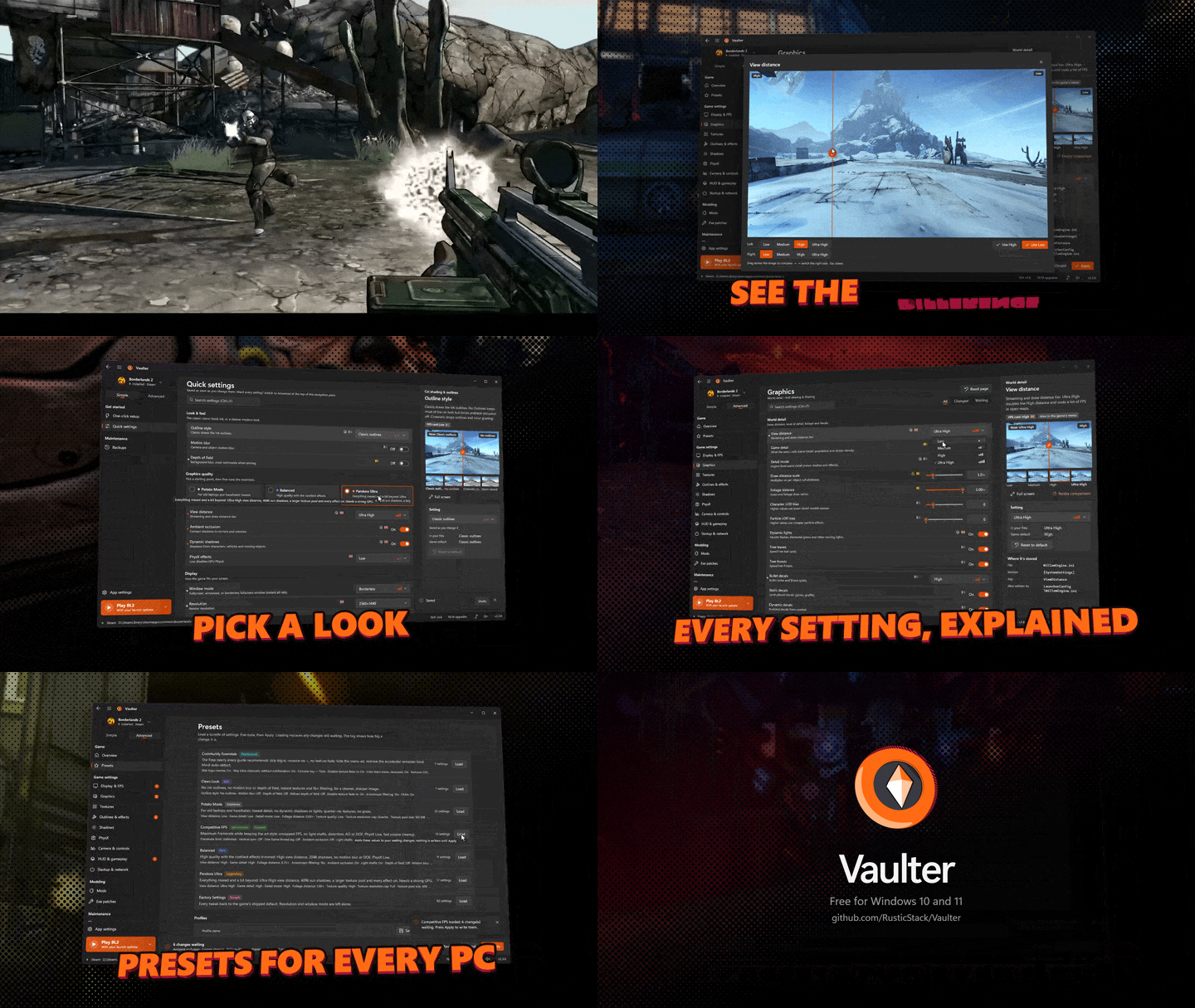
What the demo shows, in order: a few seconds of fast Borderlands gameplay; Vaulter's comparison viewer with two screenshots of the same scene side by side ("See the difference"); the quick settings page, where the Pandora Ultra look is picked ("Pick a look"); the graphics page with the View distance options open ("Every setting, explained"); the presets page, where a preset is loaded ("Presets for every PC"); and an end card with the Vaulter logo, "Free for Windows 10 and 11" and the GitHub address. The animation has no sound.
What Vaulter does
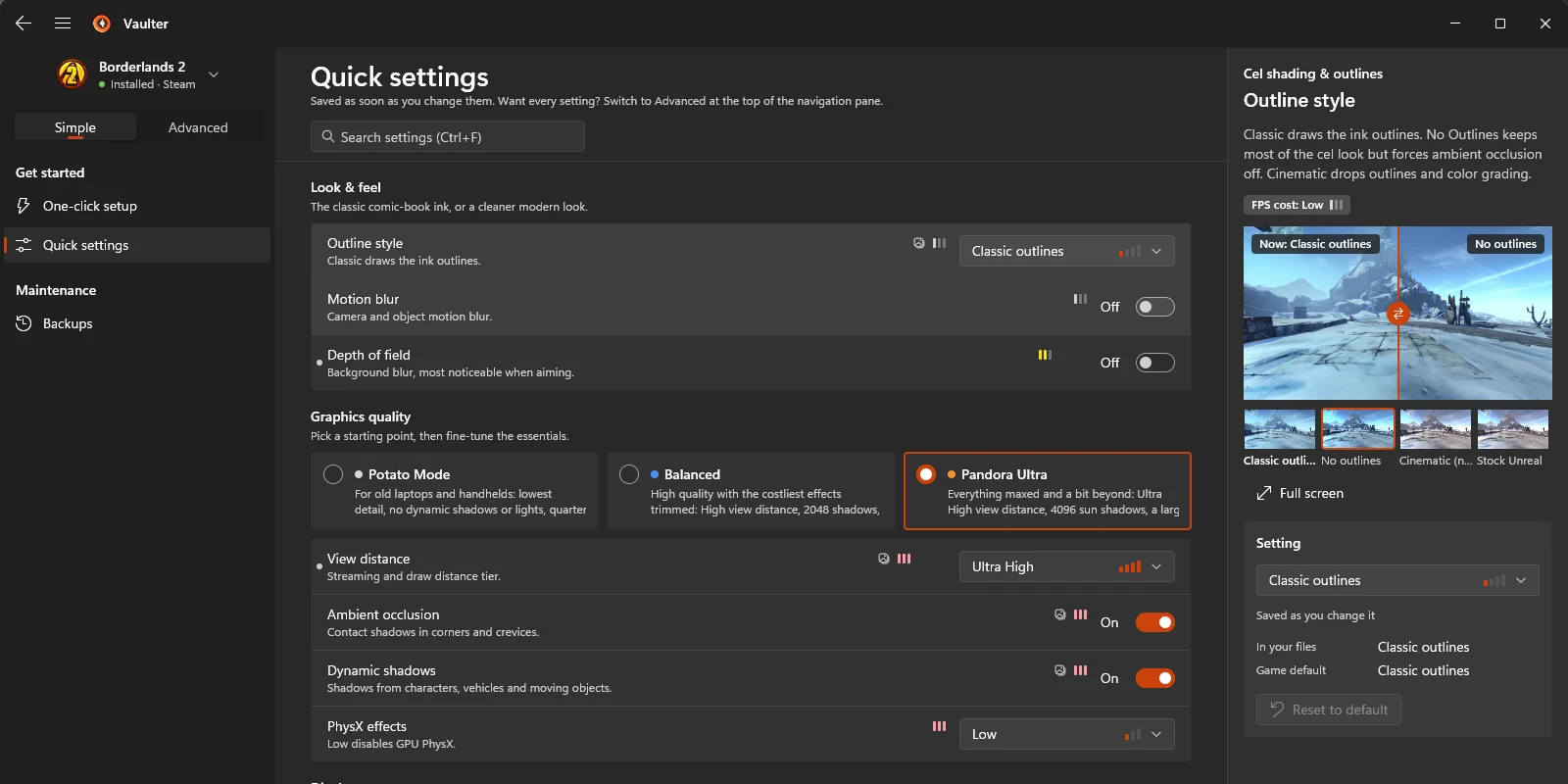
- One-click setup. Pick the upgrades you want and Vaulter installs them all: borderless native resolution, a smooth framerate matched to your monitor, no motion blur or texture pop-in, skipped intro movies, the 4 GB memory patch, the DXVK Vulkan renderer for steadier frame times, an HD visual upgrade, and popular bug-fix and quality-of-life mods.
- Every setting, explained. Borderlands 2 has 82 settings in Vaulter, each with what it does, how much FPS it costs, and side-by-side screenshots so you can see the difference before you apply it.
- Presets. Community Essentials, Clean Look, Pandora Ultra, Balanced, Competitive FPS, Potato Mode, or back to Factory Settings, then fine-tune from there.
- Mods made easy. Vaulter installs and updates the mod SDK, and adds, enables or removes mods with a click, or when you drop files on the window.
- Always reversible. Every change is backed up first. Restore any backup, or undo everything, in one click. If the game or its launcher resets your settings, Re-apply all puts them back.
- Play from Vaulter. Launch the game with or without its launcher, and Vaulter steps out of the way while you play.
Supported games
| Game | Support |
|---|---|
| Borderlands 2 | Full |
| Borderlands: Game of the Year Enhanced | Full |
| Borderlands: The Pre-Sequel | Full |
Steam and Epic Games installs are found automatically, and you can also pick the game folder yourself.
The Pre-Sequel came out of preview in 2.4.0. One-click setup now has a bundle made for it, including a community patch built from the Pre-Sequel Community Patch's bug fixes only (none of its weapon, skill, loot or difficulty changes), and the top quality preset for it is Elpis Ultra. Game of the Year Enhanced gained an opt-in HDR and crash-fix option and a set of new quality-of-life mods. The full list is in the 2.4.0 release notes.
How it works
- Settings are edited in place. Only the lines involved change, comments and formatting are kept, and the launcher's private copy of
WillowEngine.inistays in sync. Edits are staged until you press Apply (Ctrl+S), with Review and Undo before that. - Exe patches are matched exactly. The Large Address Aware patch and the classic console edits are found by byte signature, and Vaulter only offers them when the signature matches exactly once.
- The community patch is built on your PC. The Vaulter Community Patch for Borderlands 2 is assembled locally from pinned upstream files: the bug-fix section of the Unofficial Community Patch (no balance, loot or difficulty changes), community text fixes, a sorted fast travel list and Gearbox's official hotfixes. Nothing third-party is redistributed; each mod is downloaded from its author's own page, and credit goes to its authors.
- The comparison screenshots are Vaulter's own. They ship inside the exe, and a built-in capture tool can shoot them again.
- It refuses to touch a running game. Close the game before applying changes.
Vaulter is written in Rust on GPUI. It follows your Windows light or dark mode and accent colour, and the README describes it as using almost no CPU while idle.
Install
- Download
Vaulter.exefrom the latest release. There is no installer: put it in any folder and run it. - SmartScreen: the exe is not code-signed yet, so Windows SmartScreen may warn on first launch. Choose More info, then Run anyway. You can check the download against
SHA256SUMS.txton the release page first. - Open One-click setup, tick what you want and press Upgrade game.
Your settings, backups and profiles live in a Vaulter Data folder next to the exe, so you can move or back up the app together with its data. To update, put the new Vaulter.exe over the old one; your settings, backups and installed upgrades carry over.
Vaulter used to be called Vault Patcher. Version 2.3.0, published on 27 September 2026, renamed it, gave it a new logo and moved it to github.com/RusticStack/Vaulter. If you are coming from Vault Patcher, put Vaulter.exe in the same folder and run it: your settings, backups and profiles move over automatically on first launch.
Found a bug?
In Vaulter, go to App settings, choose Copy diagnostics, then open an issue on GitHub and paste it in.
Licence and credits
Vaulter is free software under the GNU General Public License v3.0 or later. Borderlands is a trademark of Gearbox Software. Vaulter is an unofficial fan tool and is not affiliated with Gearbox or 2K.
The Vaulter product page has the short version and common questions, and the game tools page lists it next to Scribe for The Elder Scrolls Online. For the rest of what RusticStack makes, see What RusticStack makes and who it's for.
Tags
- vaulter
- borderlands 2
- borderlands
- mods